
Page Speed Kills Sales: How a 3 Second Load Time Can Cut Your Leads in Half
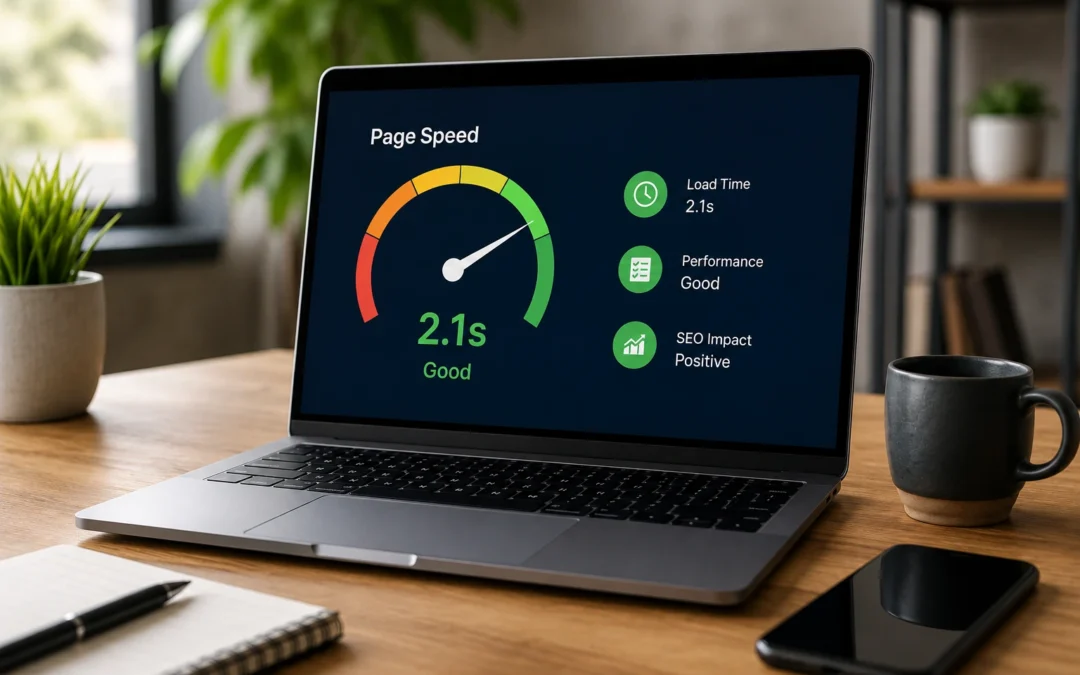
Your website might be losing you customers before they even see it. Not because of bad design. Not because of weak content. Because it loads too slowly.
Page speed is one of the most underestimated factors in website performance. Most business owners never check it. Most web designers treat it as an afterthought. But the data on how load time affects visitor behaviour is clear, consistent, and significant.
A website that loads in one second converts at a dramatically higher rate than one that loads in five seconds. The difference is not marginal. It is the difference between a website that generates leads and one that generates frustration.
Why Speed Matters So Much
The internet has trained people to expect instant results. When a visitor clicks on your website from a Google search result, they expect the page to appear almost immediately. If it does not, they go back and click the next result.
This behaviour is not hypothetical. Google’s own research has shown that as page load time goes from one second to three seconds, the probability of a visitor leaving increases significantly. As it goes from one to five seconds, the probability of a bounce rises dramatically.
For a local business website where each visitor could represent a job worth hundreds or thousands of dollars, losing even a small percentage of visitors to slow load times represents real revenue walking out the door.
How Speed Affects Your Google Rankings
Google has explicitly confirmed that page speed is a ranking factor. Specifically, Google’s Core Web Vitals (a set of metrics measuring loading performance, interactivity, and visual stability) are used in ranking calculations.
The three Core Web Vitals that matter are:
Largest Contentful Paint (LCP): How long it takes for the main content of the page to load. Google considers under 2.5 seconds to be good.
Interaction to Next Paint (INP): How quickly the page responds when a user interacts with it (clicking a button, tapping a link). Under 200 milliseconds is good.
Cumulative Layout Shift (CLS): How much the page layout shifts around as it loads. A score under 0.1 is good. High CLS is when images, ads, or elements jump around the page as different parts load, causing visitors to accidentally click the wrong thing.
If your website fails on these metrics, Google has a measurable reason to rank your competitors higher. A fast, well optimised website has an advantage in search rankings that a slow one simply cannot overcome through other means.
What Makes a Website Slow
Most small business websites are slow for the same handful of reasons. None of them are difficult to fix, but all of them require someone to actually do the work.
Oversized images
This is the number one speed killer on small business websites. A photo taken with a modern phone can be 4 to 8 megabytes. Upload that directly to your website and you are asking visitors to download a file the size of a short video just to see a single image.
Images should be compressed and resized before uploading. A hero image on a website does not need to be 4000 pixels wide. 1200 to 1600 pixels is sufficient for most layouts. Modern formats like WebP deliver better quality at smaller file sizes than JPEG or PNG.
Cheap shared hosting
Hosting is the foundation your website runs on. Cheap shared hosting puts your site on a server shared with hundreds of other websites. When traffic spikes on any of those sites, your site slows down.
Quality managed hosting costs more but delivers faster server response times, better uptime, and proper caching. For a business that depends on its website for leads, the difference between $5 per month hosting and $30 per month hosting is the difference between a fast site and a slow one.
Too many plugins
WordPress is powerful because of its plugin ecosystem, but every plugin adds code that needs to load. A site with 30 active plugins is loading 30 sets of scripts and stylesheets, many of which may not even be needed on every page.
Regularly auditing your plugins, removing ones you do not use, and choosing lightweight alternatives for essential functions can dramatically improve load times.
Heavy page builders
Some visual page builders add significant overhead to every page. They load large CSS and JavaScript files regardless of whether the features are used on that specific page. A page with a simple heading and a paragraph of text should not weigh the same as a page with complex animations and interactive elements.
No caching configured
Caching stores a pre built version of your pages so the server does not have to rebuild them from scratch every time someone visits. Without caching, every page load requires the server to process PHP, query the database, and assemble the page in real time.
Enabling a caching plugin or configuring server level caching is one of the fastest speed improvements you can make.
Render blocking resources
CSS and JavaScript files that load in the head of the page block the browser from rendering content until they finish loading. Deferring non critical scripts and moving them to load after the main content appears can improve perceived load time significantly.
How to Check Your Website Speed
You can check your website speed for free using Google’s PageSpeed Insights at pagespeed.web.dev. Enter your URL and it will give you a score out of 100 for both mobile and desktop performance, along with specific recommendations for improvement.
Pay particular attention to the mobile score. Given that the majority of local search traffic comes from mobile devices, your mobile speed is more important than your desktop speed.
A score of 90 or above is excellent. 50 to 89 means there are improvements to be made. Below 50 indicates serious performance problems that are likely costing you visitors and rankings.
The Speed and Conversion Connection
Speed does not just affect bounce rates. It affects every step of the conversion funnel.
Page views per session: Faster sites encourage visitors to browse more pages. They are more likely to check out your services, read your testimonials, and view your portfolio when page transitions are quick and seamless.
Form completion rates: A fast, responsive contact form is more likely to be completed than one on a sluggish page. If the form fields are slow to respond to typing or the submit button lags, some visitors will abandon the process.
Trust perception: Speed communicates professionalism. A fast website feels modern, well maintained, and trustworthy. A slow website feels neglected. Visitors make unconscious judgments about your business based on how your website performs.
Return visits: Visitors who have a positive experience on a fast site are more likely to return. Visitors who had to wait five seconds for the page to load are less likely to come back.
The Speed Advantage Is Compounding
Like most aspects of a strong online presence, speed compounds over time. A fast website keeps more visitors on the page, which leads to more conversions, which leads to more revenue, which can be reinvested in further website improvements and marketing.
A slow website does the opposite. High bounce rates signal to Google that the site provides a poor experience, which pushes rankings down, which reduces traffic, which reduces leads. It is a downward spiral where poor performance reinforces itself.
Quick Wins for Faster Load Times
If your website is slow, here are the highest impact fixes you can implement quickly.
Compress and resize all images. Use a tool like ShortPixel, Imagify, or manually convert images to WebP format. This alone can cut page weight by 50% or more.
Enable a caching plugin. If you are on WordPress, plugins like WP Super Cache or W3 Total Cache can be set up in minutes and produce immediate speed improvements.
Upgrade your hosting. Move from cheap shared hosting to a managed WordPress host. The monthly cost difference is small. The performance difference is significant.
Remove unused plugins. Deactivate and delete any plugins you are not actively using. Each one adds overhead.
Defer non critical JavaScript. Configure scripts that are not needed for the initial page render to load after the main content appears.
Use a CDN. A content delivery network serves your website files from servers geographically closer to the visitor, reducing load times. Many quality hosting plans include a CDN.
Stop Losing Leads to a Slow Website
Every second your website takes to load is a second where potential customers are deciding whether to wait or click back to Google and call your competitor instead. The data is clear: faster sites get more visitors, more engagement, and more conversions.
If you are not sure how your website performs or what needs to be fixed, reach out to our team. We will run a speed audit, identify the biggest bottlenecks, and give you a clear plan to fix them. A faster website is one of the simplest and most cost effective improvements you can make to your online presence.